
ProParent
For the questions Google can't answer.
Selected work
A multi-surface parenting platform built for ProParent: a warm app for parents, a dense web portal for the psychologists behind it, and the backend and CMS that connect them.
Built by Pivot & Anchor, a design and engineering studio.Picture the parent at eleven at night. The kid is finally asleep, the phone comes out, and the question on their mind is not “best parenting apps.” It is specific, and they would rather not type it into a search bar. Is my eight-year-old's anxiety normal. Did I handle today's meltdown the right way.
Forums give them strangers. Search gives them blogs. A therapist is a six-week wait and feels like overkill. ProParent is the thing in between: a real child psychologist, one short session away, with context on their child already in hand. It was founded by Urvashi Musale, a National Award-winning child psychologist, and we built the platform that carries her practice to more families.
ProParent is not one app. It is a warm mobile app for parents, a dense web portal for the experts who answer them, an admin console for the team, and a CMS for the library in between. We designed and built all of it on one backend.
The build was delivered and the engagement has since concluded. The product is no longer linked here because its former public address is not serving the platform today.
I have worked with technical teams who build what you ask for, and technical teams who understand what you are actually trying to do. Pivot & Anchor are the second kind. They took the emotional weight of parenting support seriously and designed for it, not around it. Working with them was a pleasure from beginning to end.
I worked with Pivot & Anchor on ProParent and it was one of the easier things on my calendar, which is not something I say often. The work was carefully done, the decisions were sound, and I never had to follow up on anything twice. They are properly good at what they do.
For parents

01 — Welcome
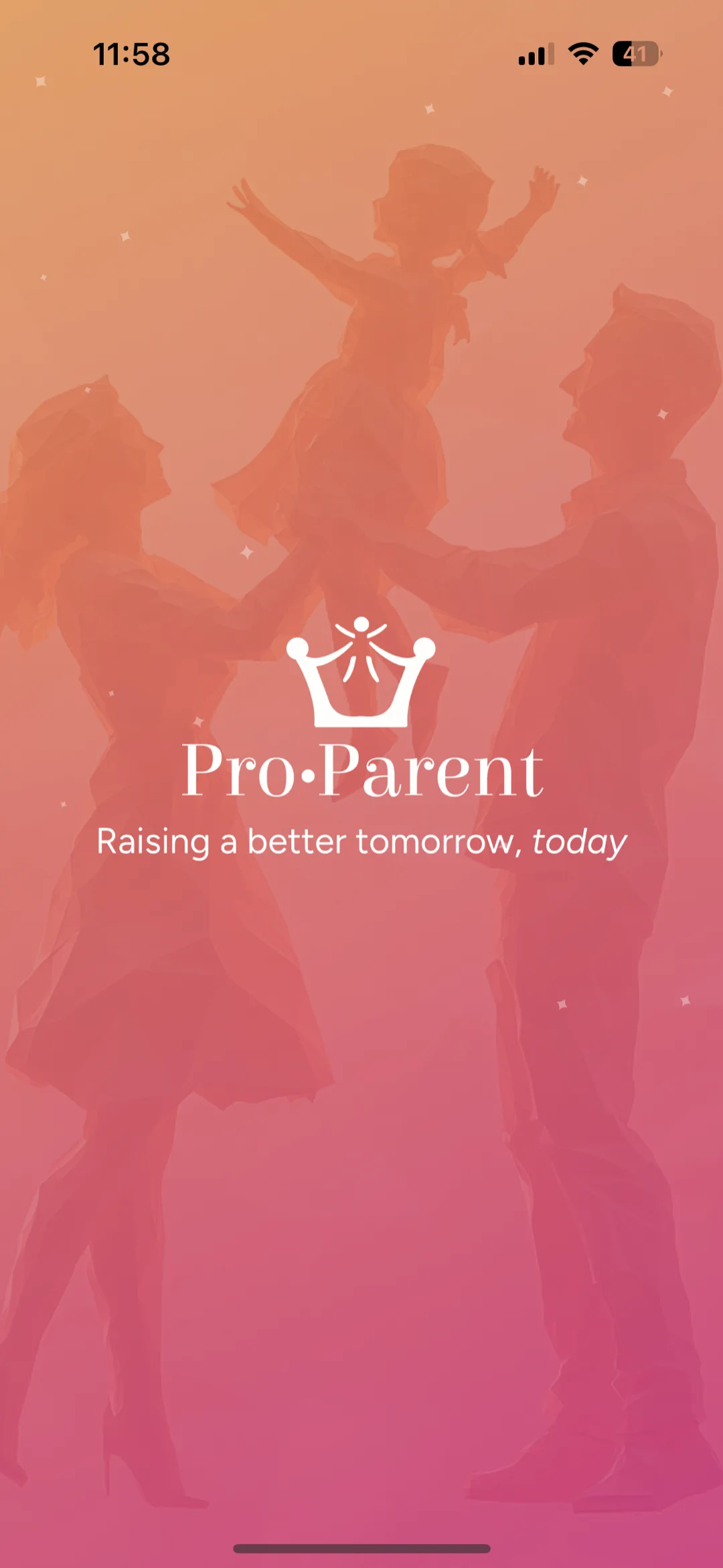
Raising a better tomorrow, today
ProParent opens warm, not clinical. The mark, the family, and a single promise of real help for the questions parenting actually raises. No forms to admire and no feed to scroll, just a calm front door into a space built for the eleven-at-night worries. It sets the tone the whole app keeps.
02 — Ask an expert
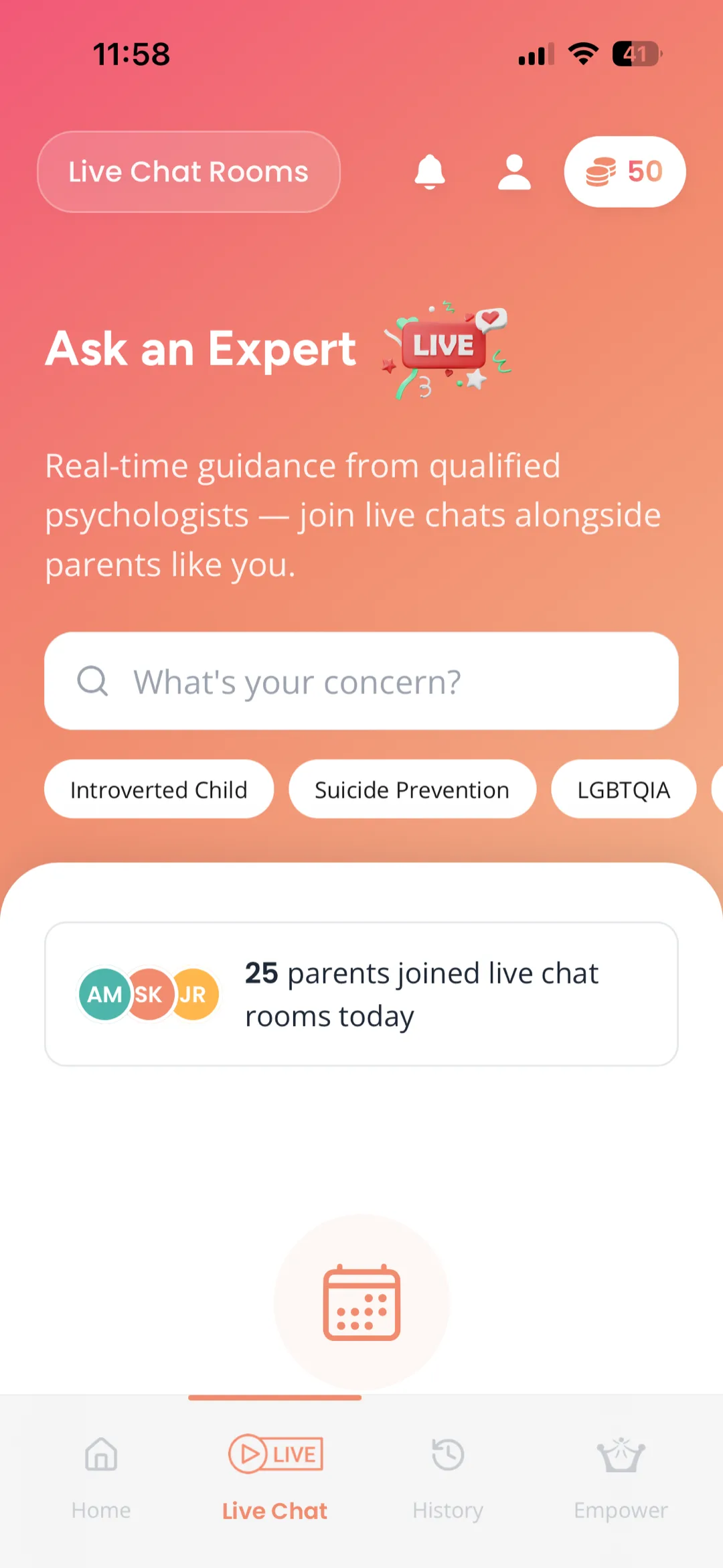
A psychologist, one tap away
The home screen leads with live chat rooms run by qualified child psychologists, alongside parents asking the same things you are. Search your concern or pick a topic like introverted child or screen time, and join a room. A credit balance sits in the corner and a live counter shows how many parents have joined today, so the place never feels empty.
04 — The session
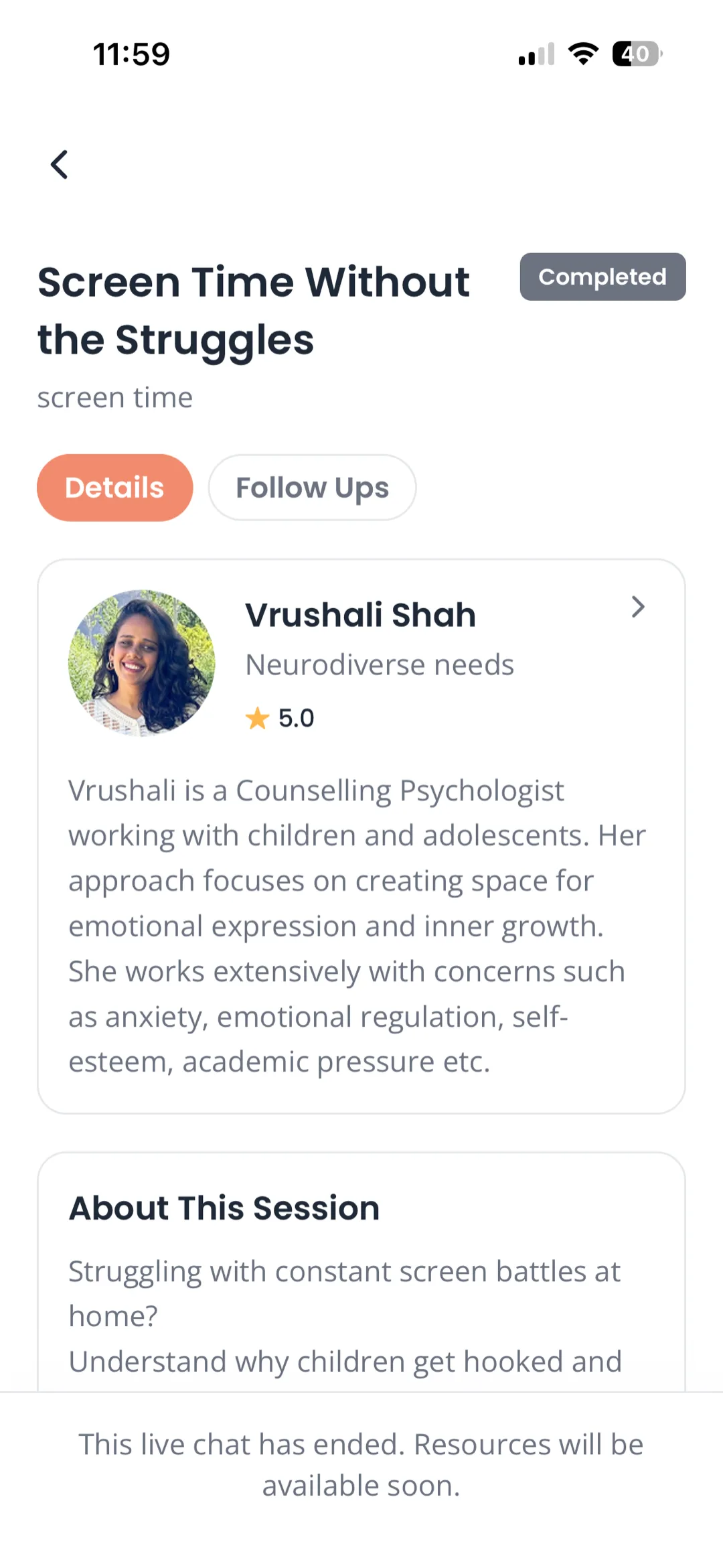
Who you spoke to, and what came of it
Open any session for the full picture. The expert's profile and specialisation, a summary of what the conversation covered, and follow-ups when there are any. A completed chat leaves behind something durable instead of a memory you half-recall the next morning.
05 — Empowerment Hub
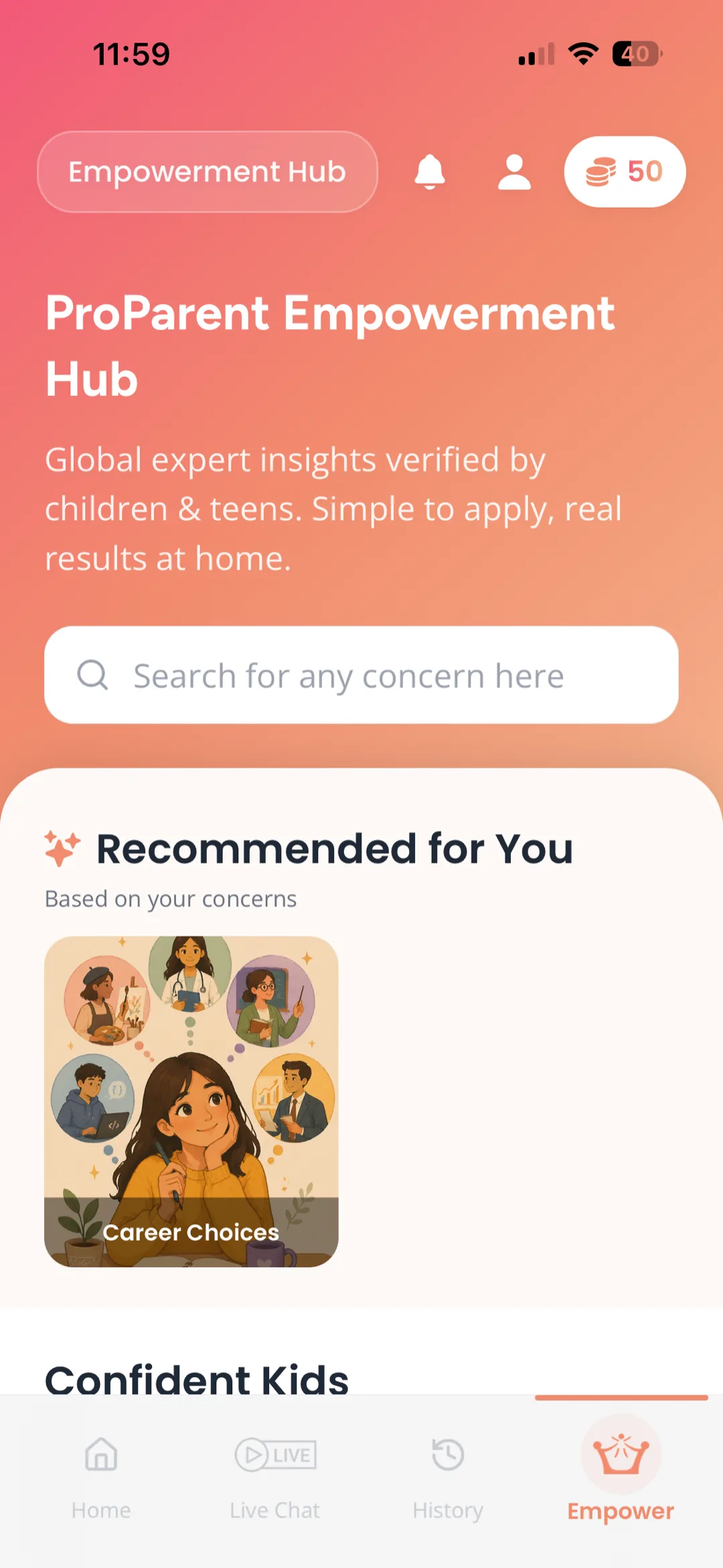
Help for the in-between
Not every question needs a call. The Empowerment Hub is a growing library of expert-verified guidance, recommended against the concerns you have already raised. Browse by what is on your mind, from confident kids to career choices, and find something to apply tonight rather than book for next week.
Built for four people
Parents (mobile)
A warm, minimal iOS and Android app: live seminars, private 1-on-1s, the knowledge hub, and the wallet. Expo, with 100ms video and Razorpay.
Experts (web portal)
Psychologists work on laptops, so they get a dense web portal: availability, live sessions, parent notes, and contributions to the hub. Built for keyboards and two monitors.
The team (admin console)
A web console for oversight: users, sessions, schools, grants, and the moving parts of the operation.
The content team (CMS)
A Payload CMS for the library: articles, activities, assessments, and topics, published to the app without a deploy.
On the web

01 — The front door
Real help, right when you need it
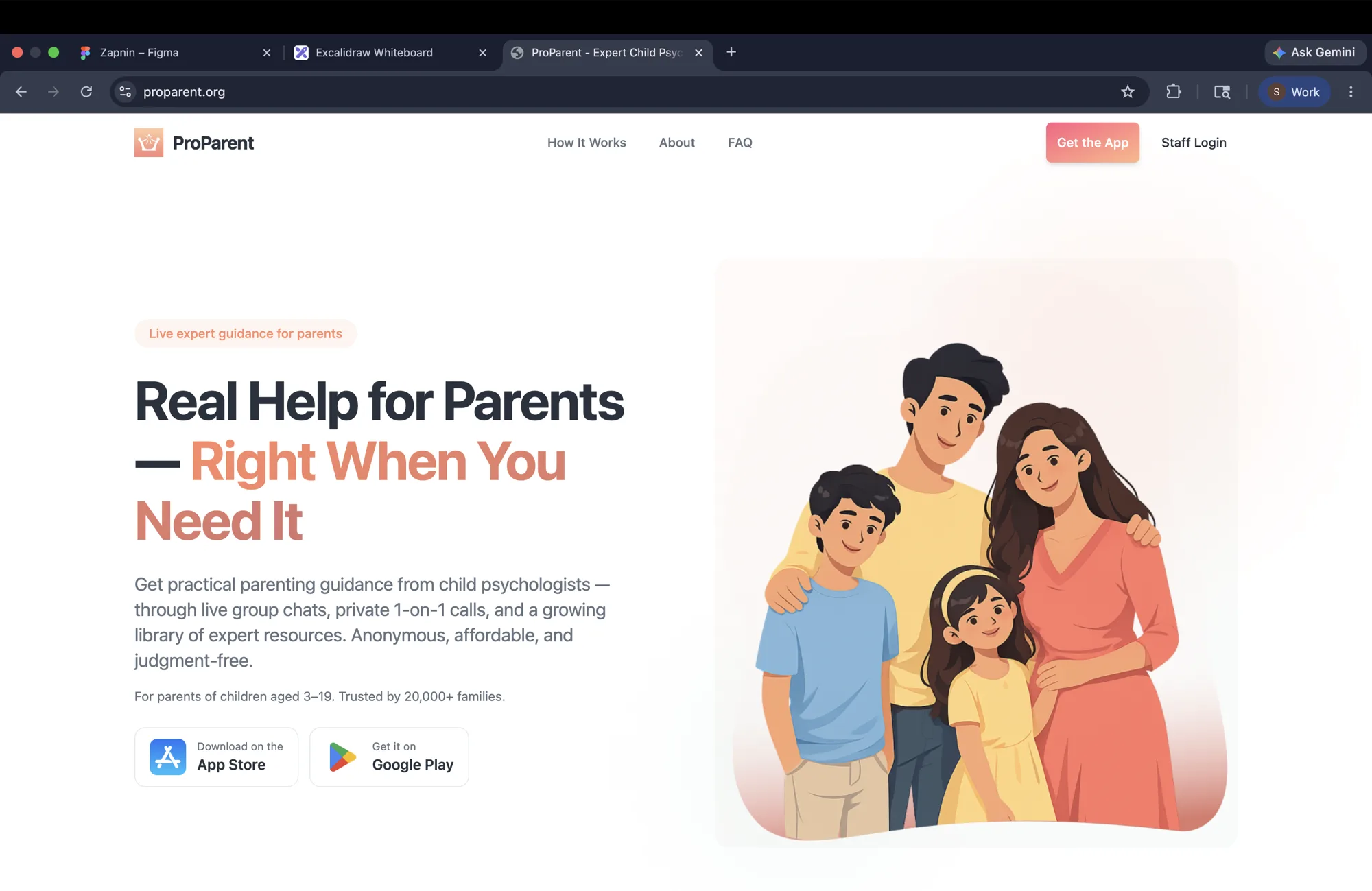
The public site has one job, and it is to convince a worn-out parent in a sentence. Live group chats, private one-on-ones, and a growing library of expert resources, anonymous and judgment-free. The hero leads with the promise and the App Store and Play Store buttons, and the warmth of the brand reassures before a single word is read.
02 — Anonymity
Ask without anyone knowing it's you
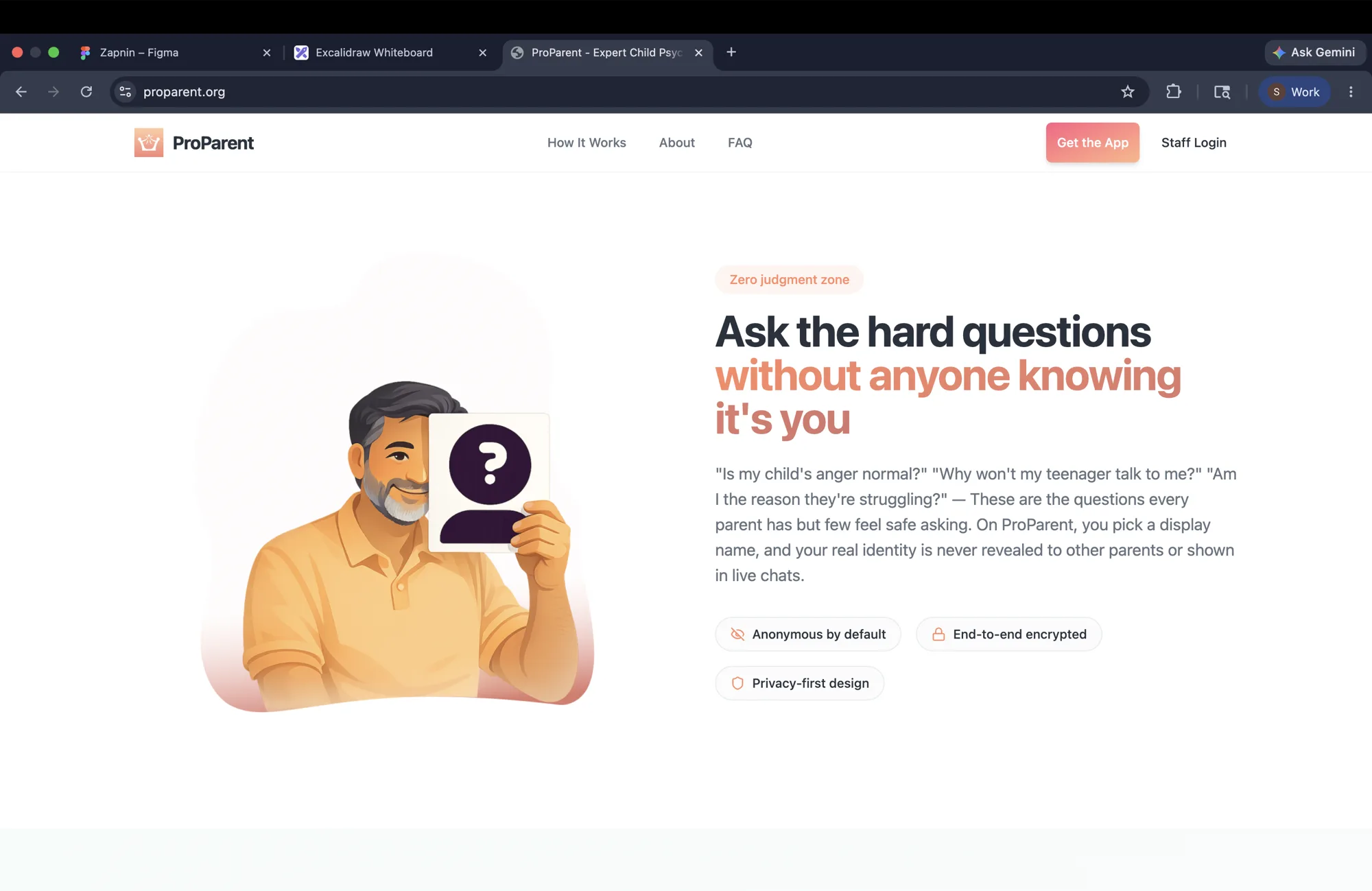
The hardest parenting questions are the ones people are afraid to ask out loud. The site meets that fear head-on. A parent chooses a display name, and their real identity is not shown to other parents in a live chat. The promise is specific to what the product actually controls, rather than treating privacy as a slogan.
04 — The expert portal
A working tool, not a phone screen
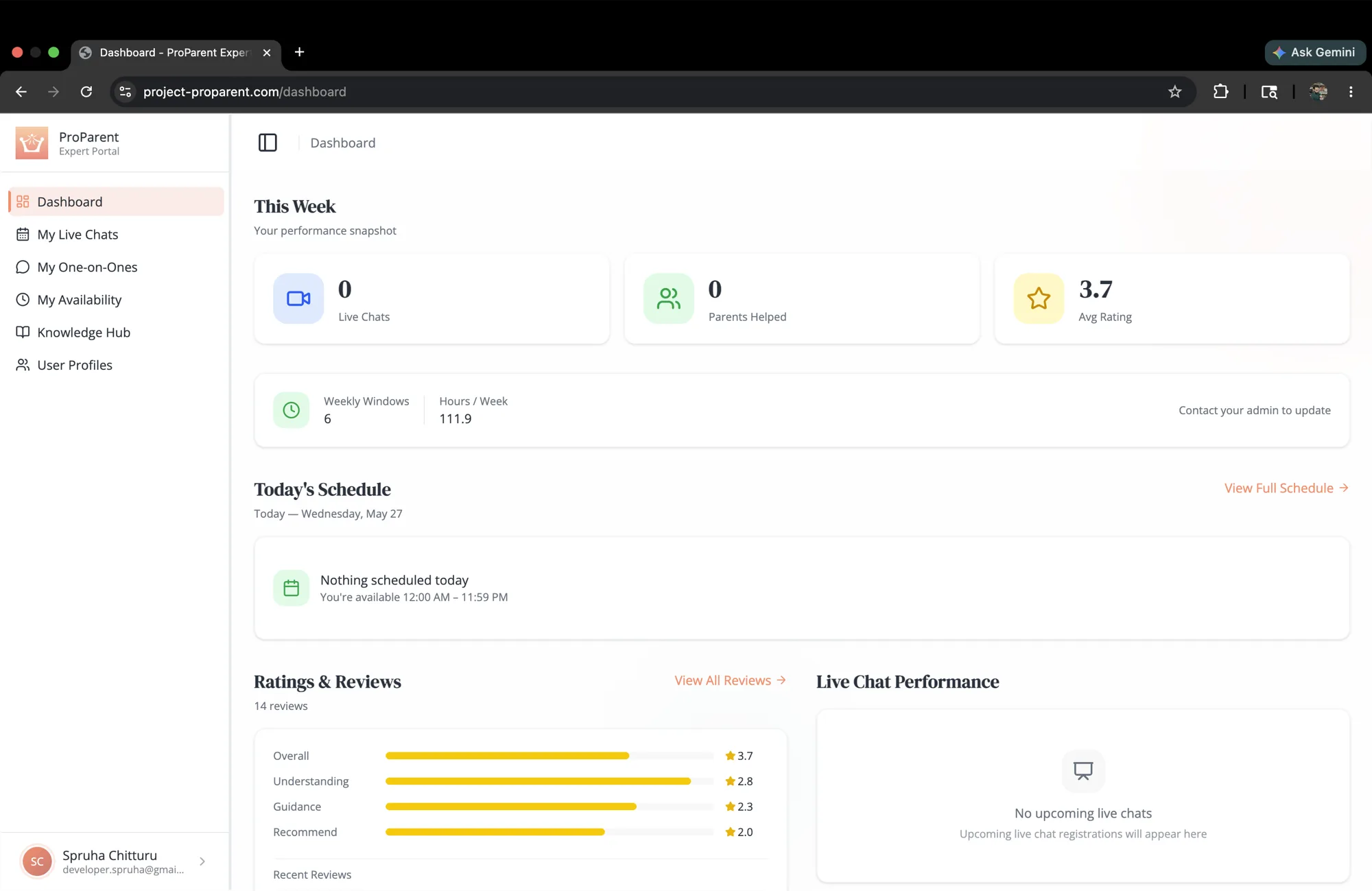
Experts spend their day on laptops, so their surface is dense and built for it. The dashboard opens on the week at a glance: live chats held, parents helped, the average rating, today's schedule, and recent reviews. It is the cockpit a psychologist runs their practice from, not a scaled-up app.
06 — Run the room
Host the session, moderate the Q&A
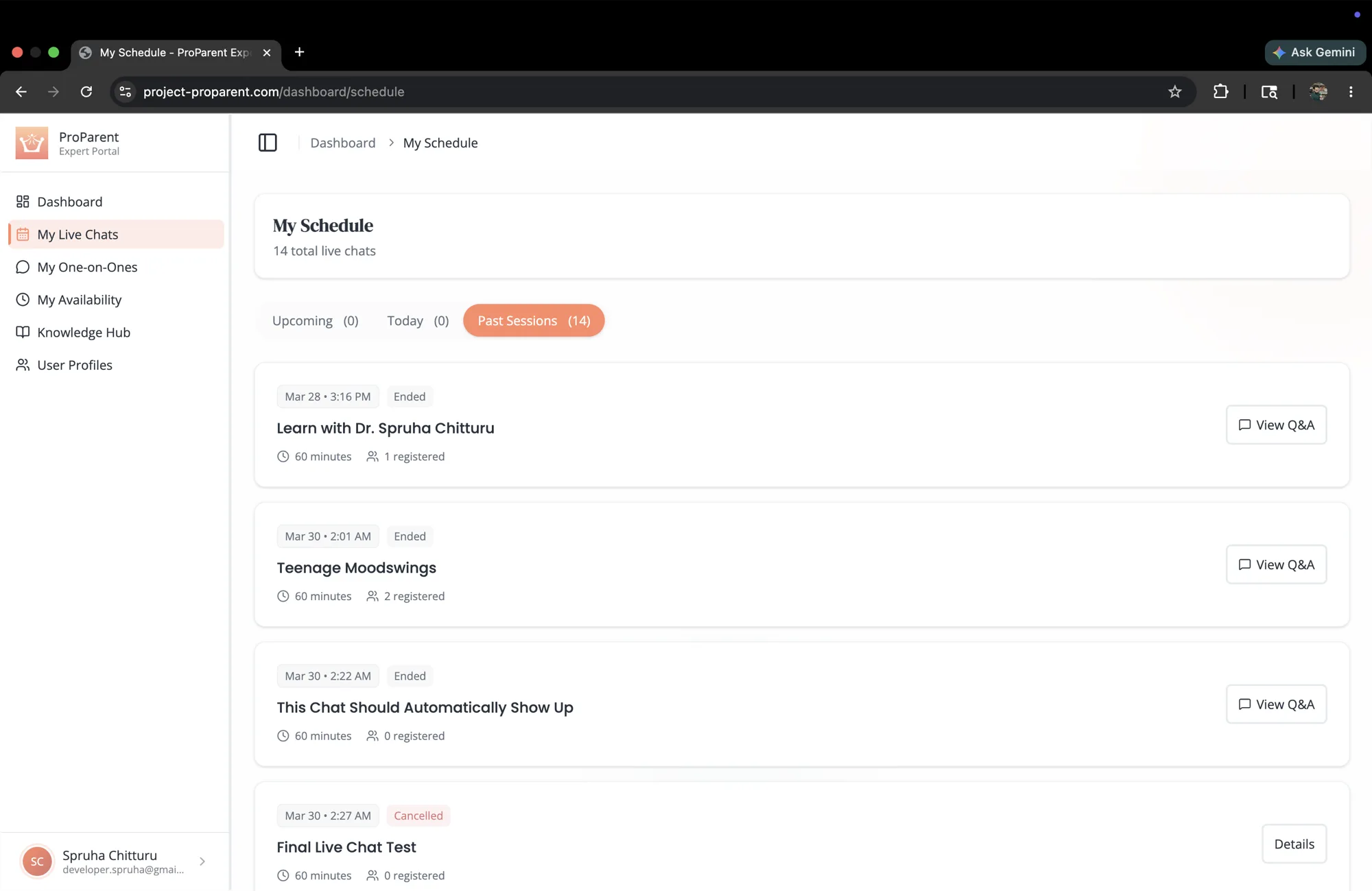
My Schedule lists every live chat the expert is running, upcoming and past, with the registrations on each. From here they open a room, watch the questions arrive, and moderate the Q&A, promoting the ones worth answering and keeping the session moving. A live room full of anxious parents, made calm to run.
07 — The admin console
Every live chat, overseen
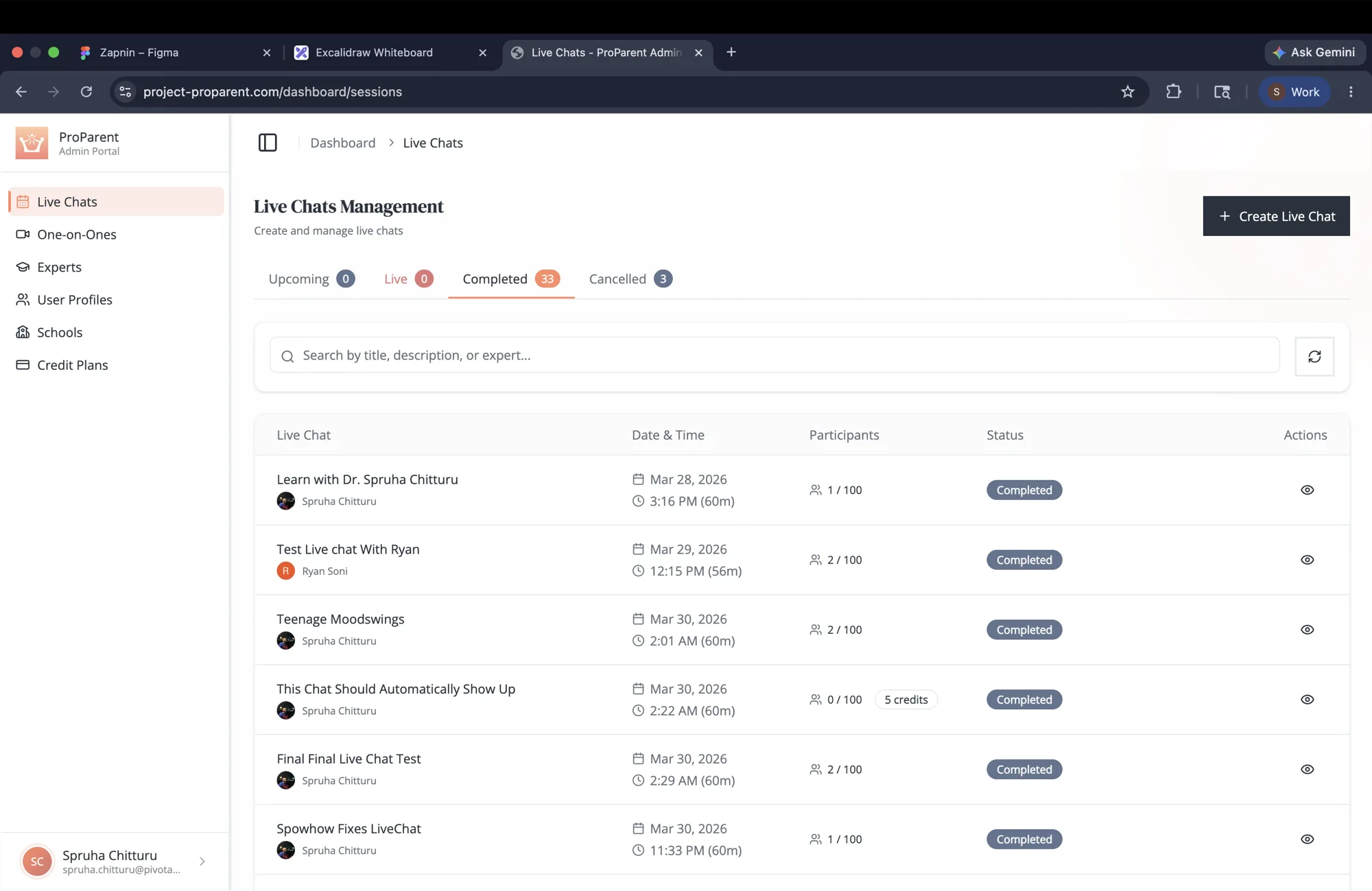
The team gets its own console, and it starts with the sessions. Live Chats Management lists every group room across the platform, upcoming, live, completed, or cancelled, with participants, status, and credits on each. Create a new one, search the lot, and keep the whole schedule honest from one table.
ProParent runs on one backend serving four surfaces.
The backend is AdonisJS on PostgreSQL with Lucid, twenty-eight models covering the full domain: parents, experts, children, sessions, the wallet, schools. Identity is Clerk, and one of the quieter feats is that a single server speaks two auth dialects at once: bearer tokens for the mobile app, and sessions for the expert and admin web, which is rendered with React inside the same Adonis app.
Live video is 100ms, with role-based tokens (an expert can do what a parent cannot) and rooms created lazily on first join rather than at booking time. Money is credits, and the wallet holds three balances, bought, school-granted, and total, with row-level locks so two bookings can never spend the same credit twice. Payments clear through Razorpay with signature-verified webhooks.
Scheduling is its own problem. Expert availability windows generate bookable slots in IST, checked against existing sessions, with a minimum notice so nobody books a call for two minutes from now. Reminders, emails, and push run off a Redis-backed queue, and live session and recommendation updates stream to the app over server-sent events.
The library lives in a Payload CMS on its own database schema; when an editor publishes, a signed webhook tells the backend to refresh its caches. The whole system runs on Google Kubernetes Engine in Mumbai, with managed Postgres on IAM auth and no passwords in the cluster.
The hard parts
Two auth dialects, one server
Bearer tokens for the app and sessions for the web portal, with a guard against duplicate user creation on first login.
A credit ledger that can't drift
Three balance types and row-level locks so concurrent bookings never spend the same credit twice.
Live video, role-aware
100ms rooms created on demand, with tokens that give experts and parents different powers.
Scheduling without conflicts
Availability windows turned into bookable slots in IST, conflict-checked, with a minimum-notice rule.
Content without a deploy
A Payload CMS that publishes to the app through a signed cache-invalidation webhook.
ProParent leans on a serif to feel human, not clinical. DM Serif Display carries the headlines, Poppins handles the interface, and Open Sans does the long reading in the knowledge hub.
- DM Serif DisplayHeadings
- PoppinsSubheads & UI
- Open SansBody & articles
The palette is warm on purpose, a coral that reassures rather than a clinical blue. Sage and teal carry success and guidance, and a soft peach holds the background.
- CoralPrimary. CTAs, the brand, live indicators.#F28B6E
- TerracottaDeeper coral for depth and pressed states.#D4766E
- SageSuccess and positive states.#81C784
- TealGuidance, tips, and data.#4DB6AC
- PeachWarm surfaces and the app's edges.#F9A88D
- InkHeadings and body text.#1F2937